The same question, every week
Editors answer it one email and one WhatsApp message at a time, even though OJS already holds the answer.
“Roughly how long until I get a decision?”
Editorial Statistics Plugin adds one public page to your journal website: submission counts, acceptance rate, review time and time to publication. The figures come from your OJS records and refresh every hour, so the editorial office no longer compiles reports by hand.
One payment per journal. Your data stays on your journal's server.
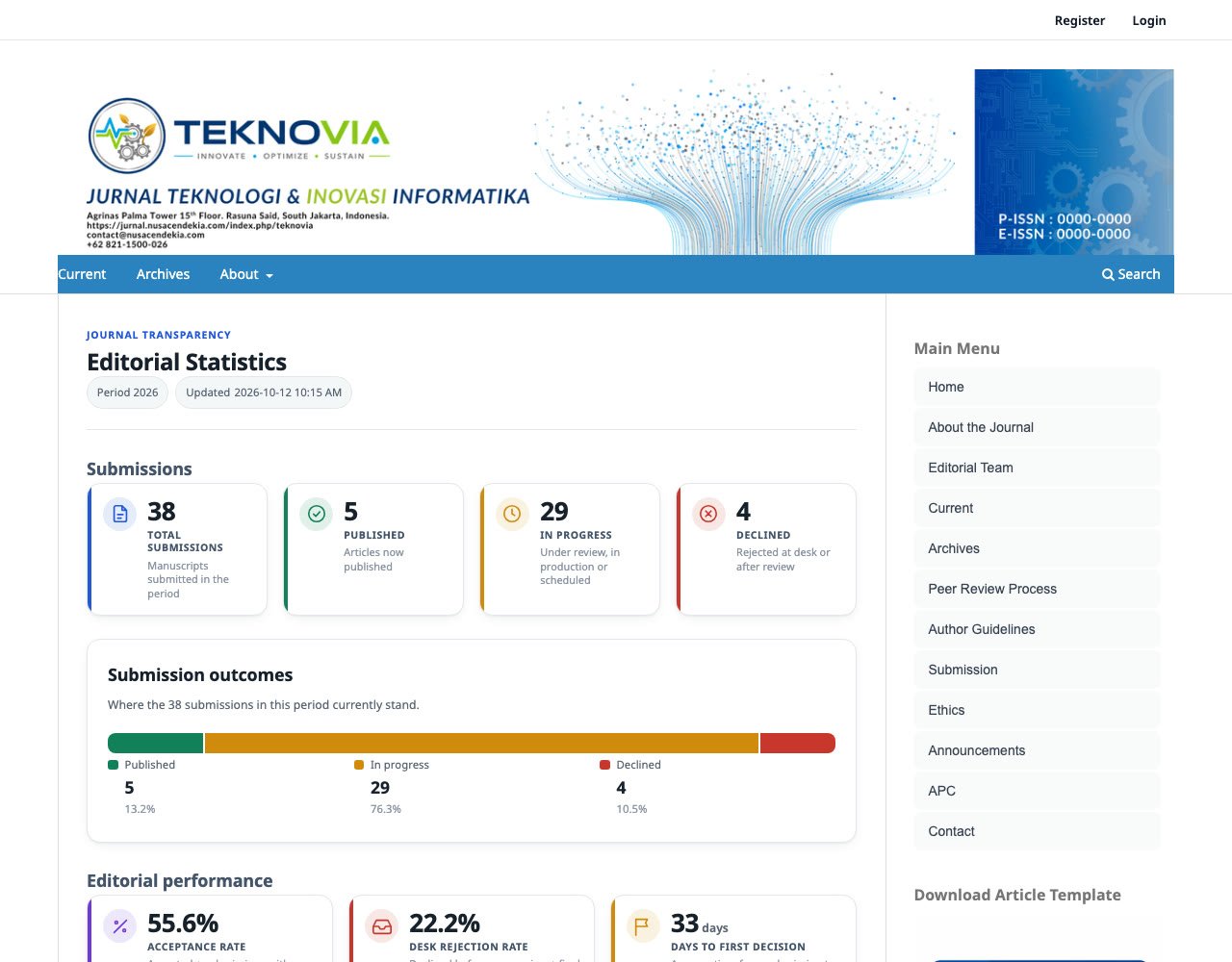
They want to know how long a decision takes, how selective you are and when an article could be published. A journal that answers with numbers looks ready for their work.
Editors answer it one email and one WhatsApp message at a time, even though OJS already holds the answer.
“Roughly how long until I get a decision?”
The editorial activity report lives in the OJS dashboard. Website visitors, prospective authors and partners never see it.
Figures typed into the “About the Journal” page rarely get updated. A year later they no longer match reality.
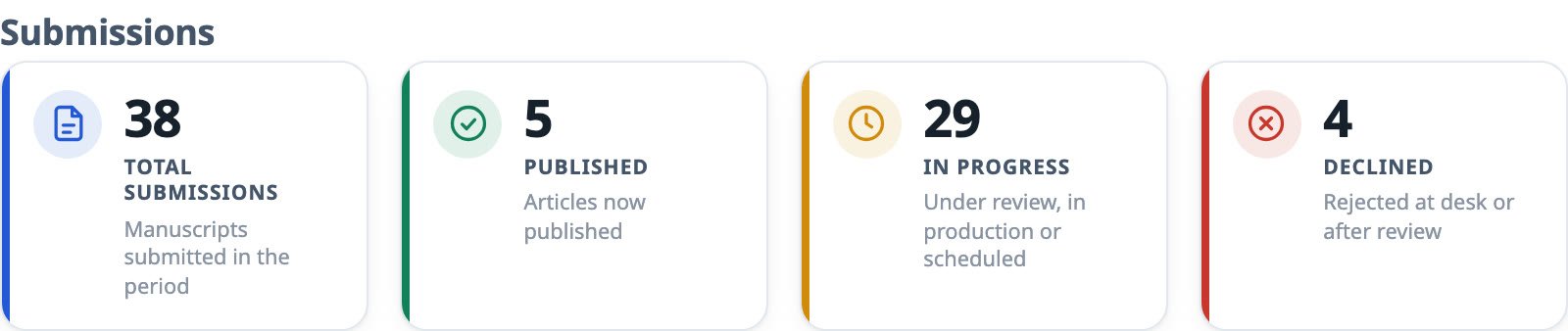
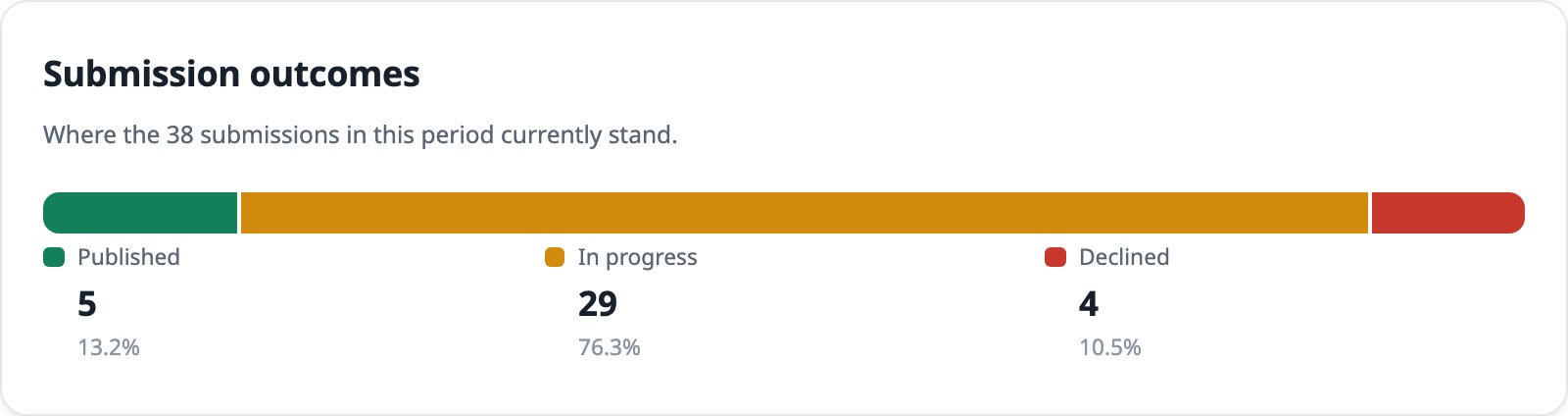
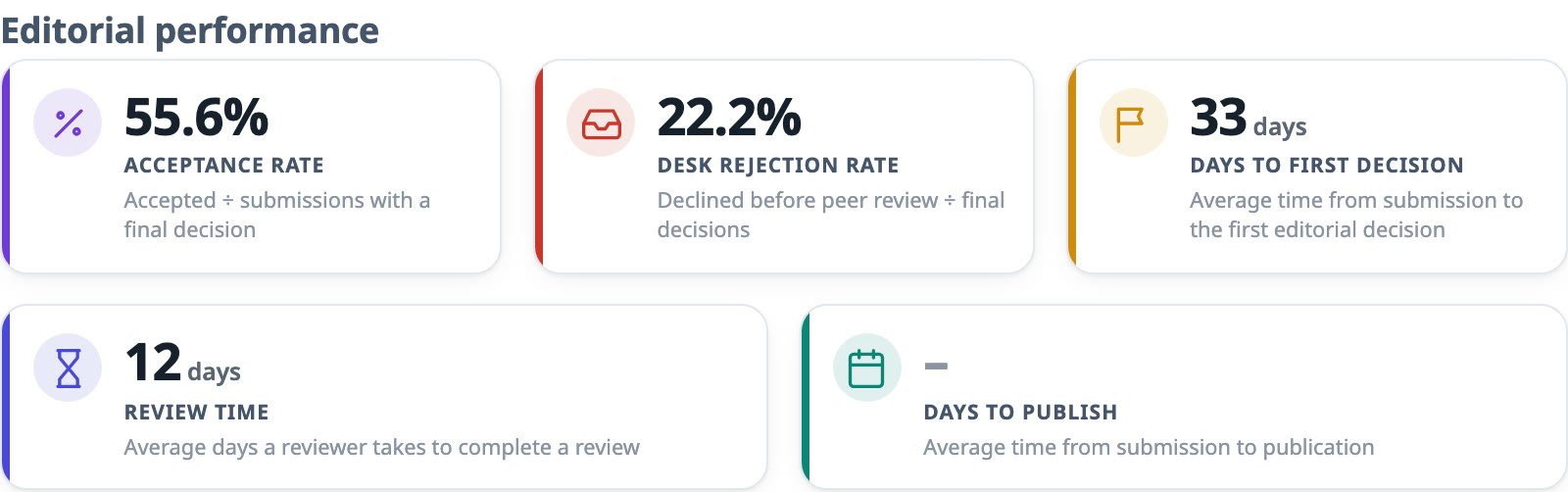
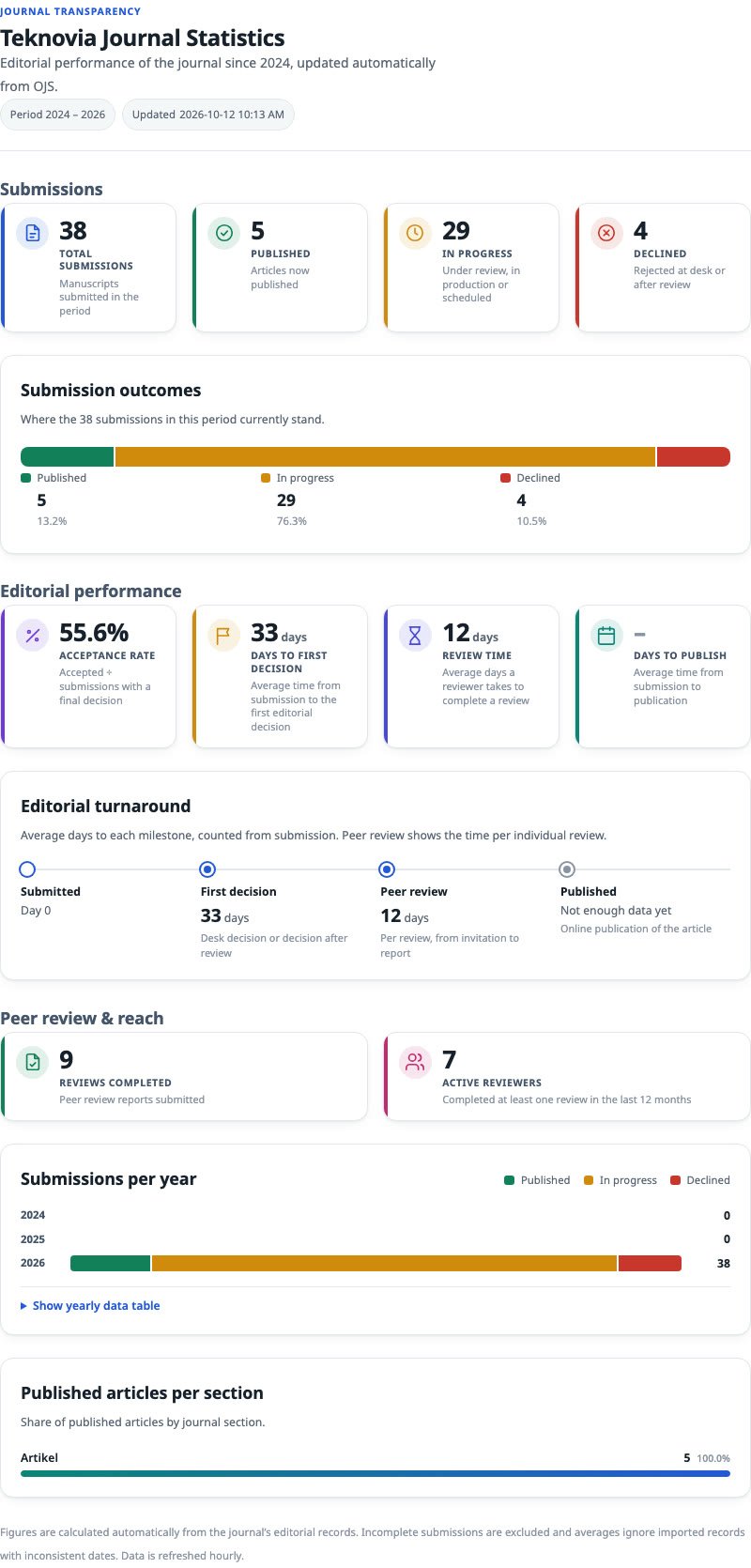
Every card explains how it is calculated, so readers know exactly what a number means. The screenshots below come from the plugin running on OJS 3.5.
Total submissions and how many are published, in progress or declined. The outcomes bar shows the proportions.
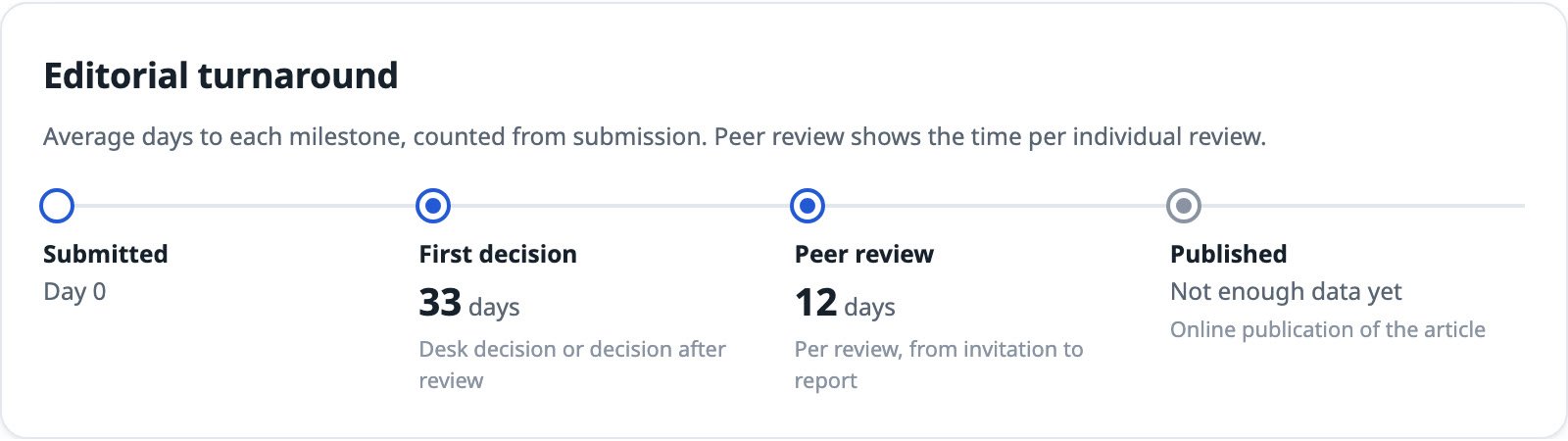
Acceptance rate, desk rejection rate, days to first decision, review time and days to publication. A timeline sums it up from the day a manuscript arrives.
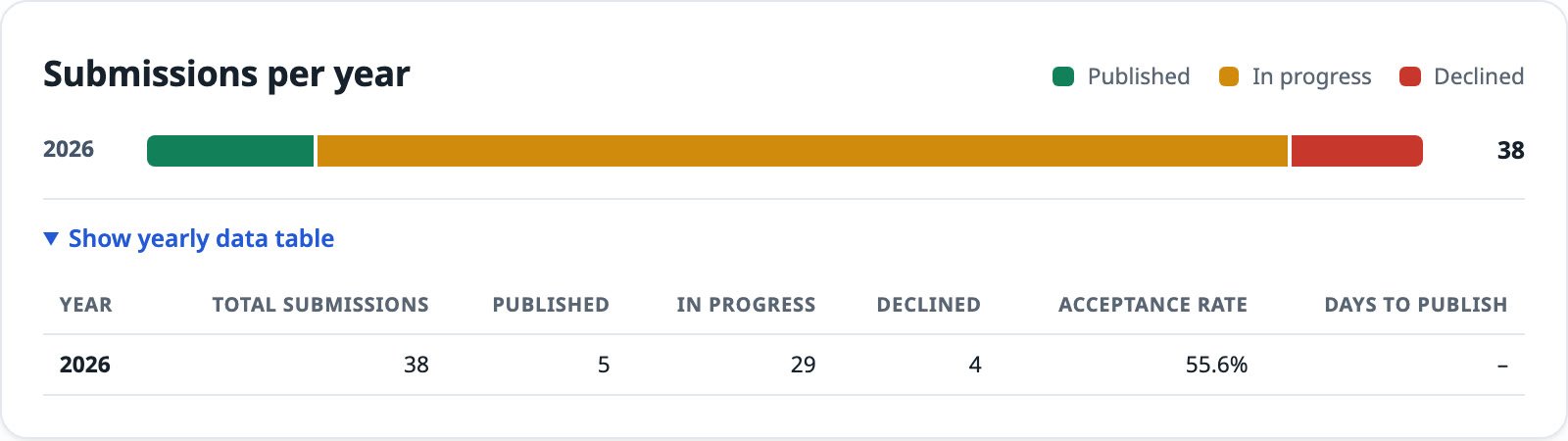
A submissions-per-year chart with an expandable data table. Below it, the share of articles per section and the countries your authors come from.

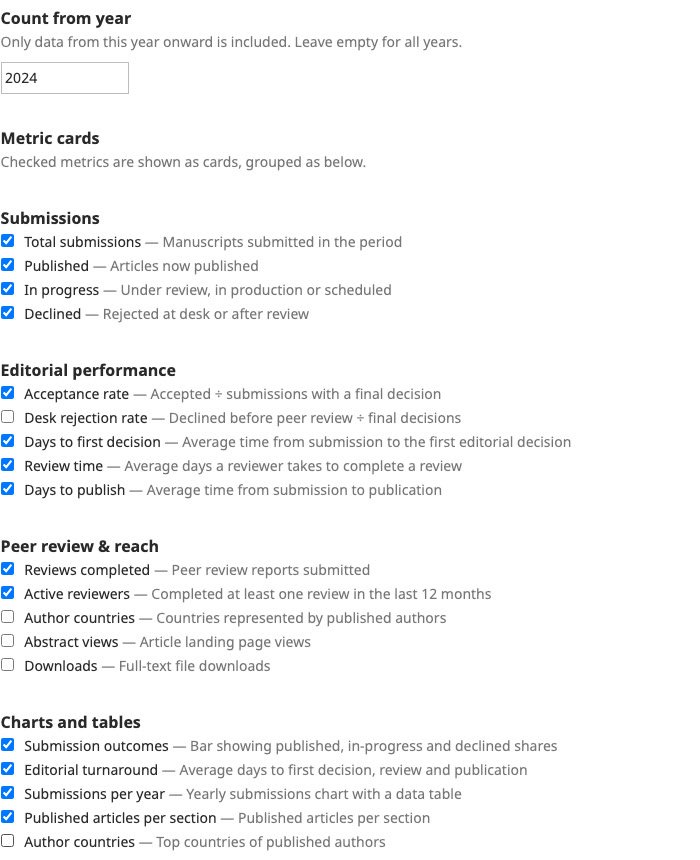
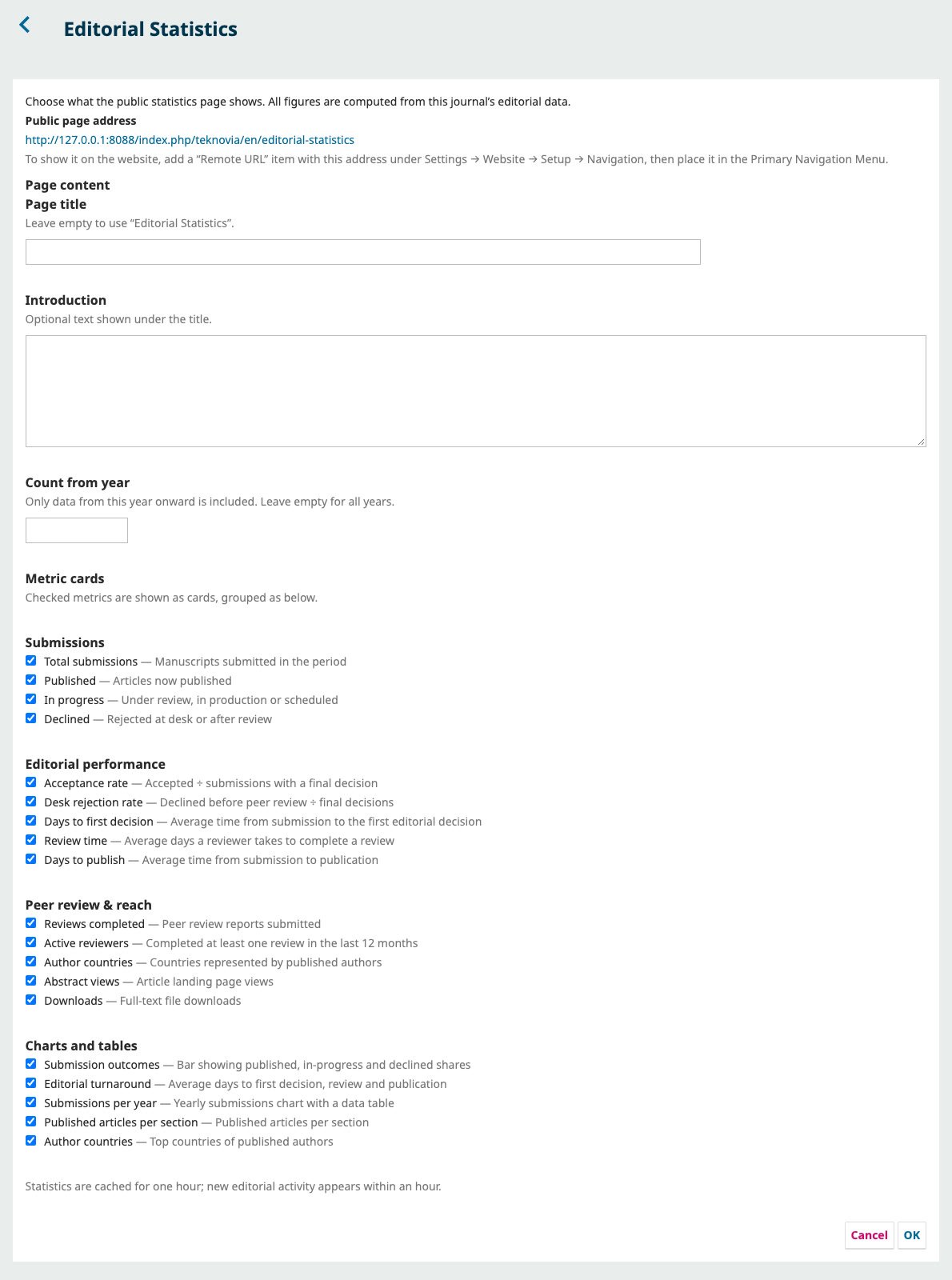
Not ready to show your rejection rate? Messy data from before you moved to OJS? It's all handled in one settings window in the plugin list, without touching code.
The plugin reads the submissions, editorial decisions, review assignments and publication dates already in OJS. Nobody types a number in.
Cards rearrange to fit the screen, with no sideways scrolling.
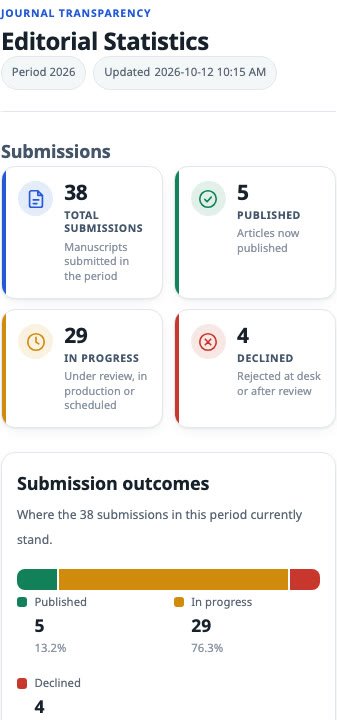
Labels and number formats follow the visitor's language.
Aggregate figures only. Author names, reviewer names and manuscript titles never appear.
The page uses the header, menu and sidebar of your journal's active theme.
Results are cached for an hour. Charts are drawn with CSS, with no extra JavaScript library.
No server access or developer needed. A Journal Manager does it all from the usual OJS menus.
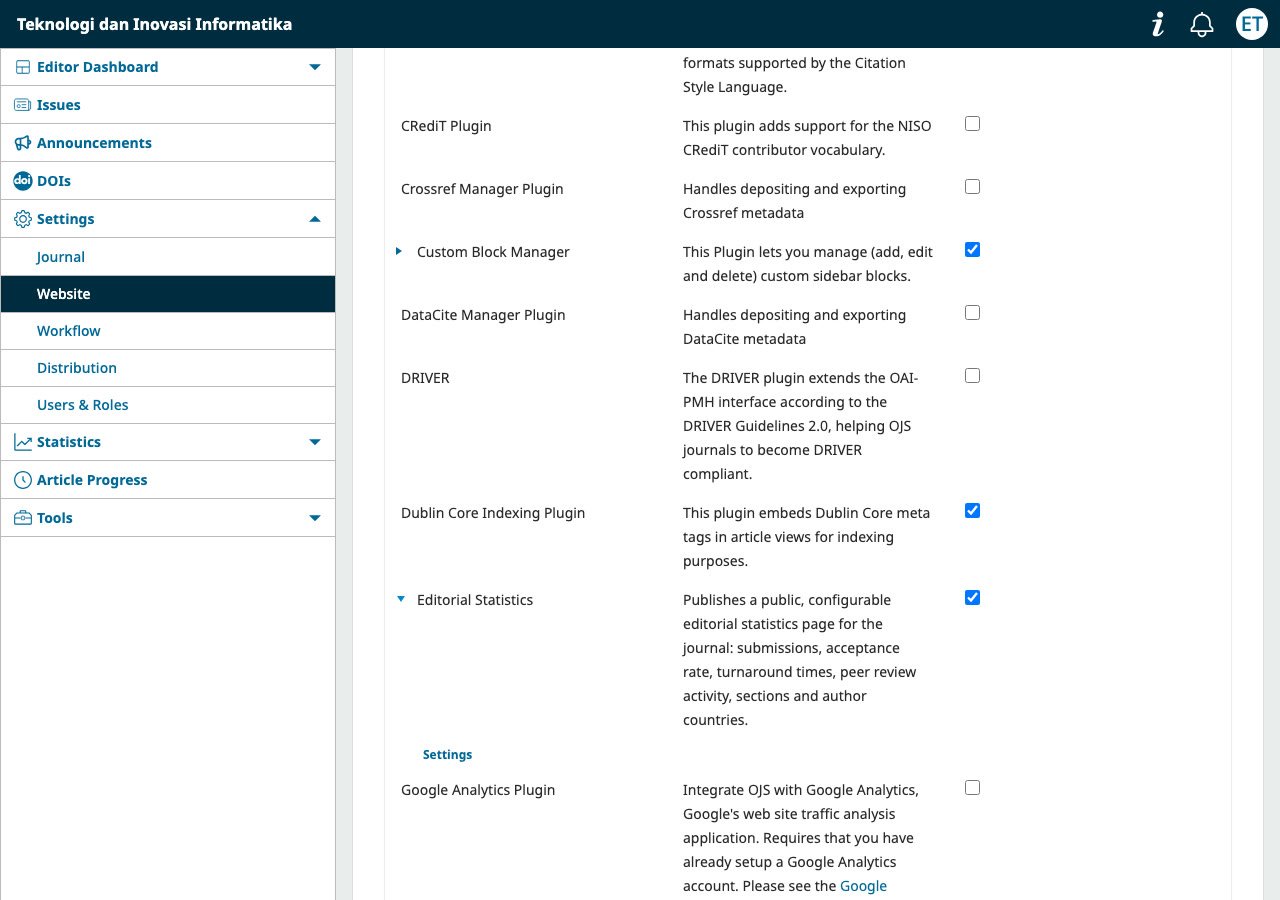
Settings → Website → Plugins → Upload A New Plugin, then tick Editorial Statistics.
Click Settings on the plugin. Pick metrics, panels, a title and a start year.
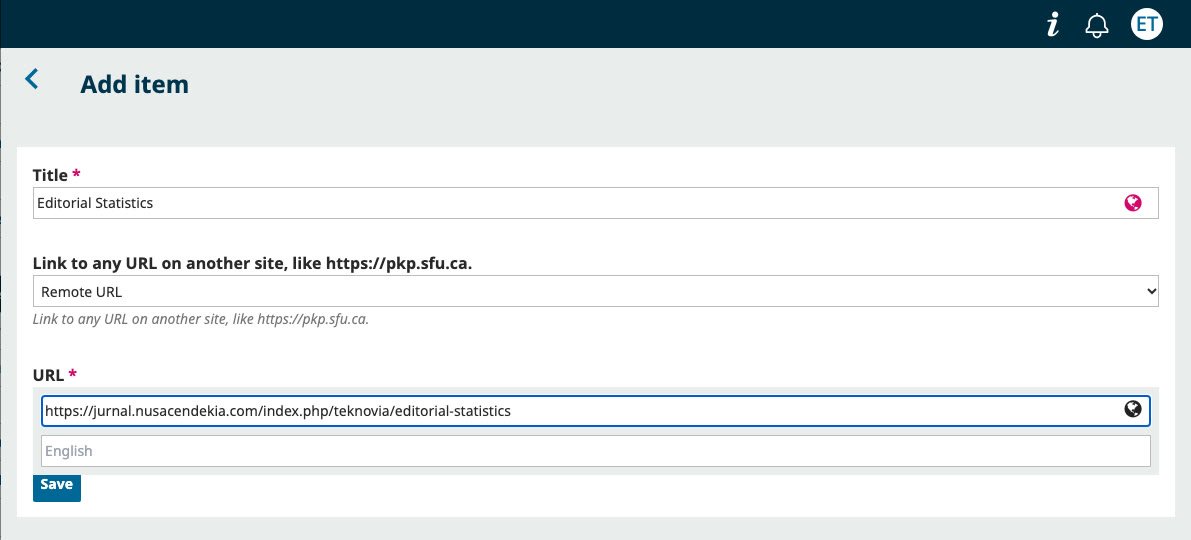
Add a “Remote URL” item with the page address, then place it in the primary menu.
Every purchase includes an illustrated user guide and installation support.
No monthly or yearly subscription. One license covers one journal.
| OJS version | 3.5.0-4 or later (3.5 series) |
|---|---|
| PHP | 8.2 or later, with the intl and sodium extensions |
| Database | MySQL or MariaDB. PostgreSQL is not supported yet. |
| Languages | English and Indonesian |
| License | Per journal, tied to your domain. Checked on your own server, with no connection to ours. |
Running several journals on one OJS installation? Each journal that uses the plugin needs its own license. Contact us to buy several licenses.
IDR250,000
no subscription or renewal fees
No. The page only shows aggregate figures: counts, percentages and average days. Reviewer identities stay protected for journals with blind review.
Yes. The plugin recalculates from OJS data at least once an hour. Your editors don't enter anything.
Yes. Every metric and panel has its own checkbox in the plugin settings.
Use the “Count from year” setting to skip older records. Average times also ignore records whose publication date is earlier than the submission date.
Not yet. The plugin is built for OJS 3.5. Contact us if your journal plans to upgrade.
You won't notice it. The calculation runs at most once an hour and the result is cached. Later visitors read the cached result.
The license is tied to your domain. Contact us and we will reissue it for the new domain.
No. The plugin runs entirely on your journal's server, including the license check.
Tell us your OJS version and how many journals you manage. We'll show you the statistics page running on OJS 3.5 and answer your technical questions.